GitHub Repo Gallery v2.0
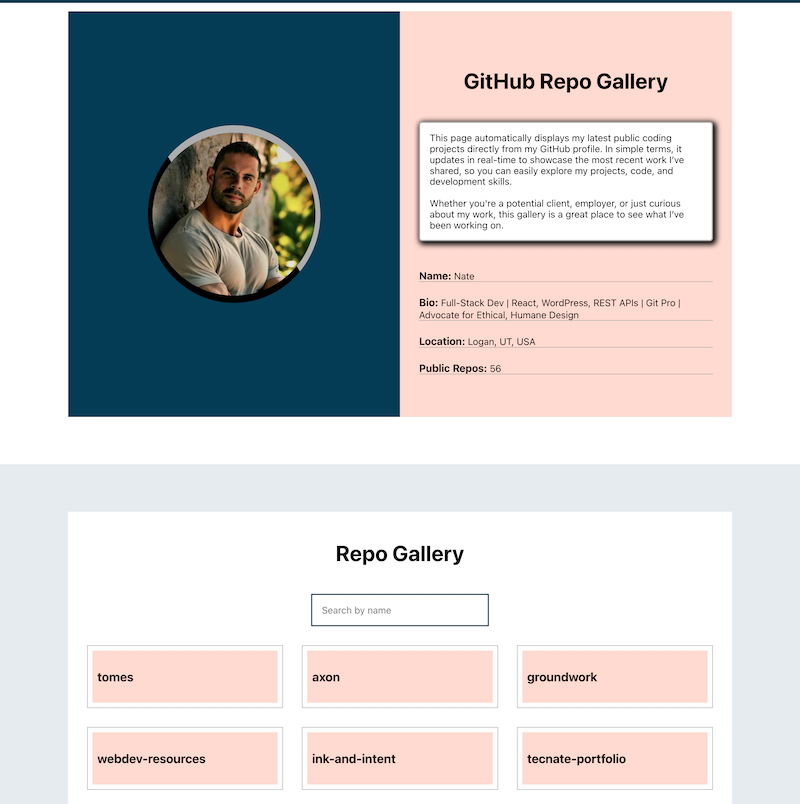
Fetching GitHub Projects For Display On My Website
The Challenge
The original version of my GitHub repo gallery was a standalone page that used the GitHub REST API to fetch and display my public repositories. While functional, it had cross-browser issues, lacked design cohesion with my main site, and required a hard visual break when users jumped between the gallery and other parts of the website. It also wasn't easily maintainable or scalable for future changes.
My Solution
I completely rebuilt the project from scratch using 100% JavaScript and deeply integrated it into my site's core layout and theme. Now, the repo gallery lives seamlessly within the site’s design system, dynamically pulling and displaying GitHub repo data.
Key features and improvements:
- REST API Integration: Uses the GitHub REST API to fetch all public repositories in real-time.
- Dynamic UI Rendering: Creates and appends DOM elements on the fly for each repo, including name, description, and language data.
- Interactive Toggle View: Clicking on a repo hides the grid and displays detailed repo info. A “Back to Gallery” button resets the view.
- Scalable Theming System: Gallery components inherit global site styles, meaning any future design updates are automatically reflected.
- Improved Performance & Compatibility: Refactored logic for cleaner event delegation and browser-safe operations, improving responsiveness and reducing layout shifts.
- Dynamic Search: Users can search in real-time with an input field that filters visible repositories.
JavaScript techniques used:
async/awaitfor API callsfetch()and JSON parsing- Event delegation with
matches() - Dynamic class toggling and style manipulation
for...ofandfor...inloops- Live filtering with
inputevent listeners - Graceful handling of browser behaviors (
preventDefault())
Results & Impact
- Full Design Integration: The gallery now feels like a native part of my site, not a disconnected tool or plugin.
- Cross-Browser Consistency: Rebuilt logic eliminated display issues in Safari and Firefox.
- Simplified Maintenance: Future site-wide visual changes are automatically inherited by the gallery without manual refactoring.
- Improved UX: The seamless toggle between gallery view and detailed view reduces clicks, improves discoverability, and keeps users in flow.
Key Takeaways
- Tight coupling with site structure pays off: By building the gallery to inherit global styling and layout patterns, I eliminated the need for future maintenance and styling overhead.
- REST APIs + JavaScript = power: This project is a perfect example of how pure JavaScript (without frameworks) can create fast, elegant, and interactive user experiences.
- Design cohesion matters: Integrating functionality into your core system results in a smoother UX and makes your site feel intentional, not pieced together.
Click either the "Go To Project" button above or the "GitHub Repo Gallery" link at the bottom of this website to view this project in action.